

Guide
Adding users to licence groups
Add a user to one of your organisation's licence groups.
Overview
Easy•3–5 mins
#groups#licences#administrationUpdated 22/10/2026
1. Go to Groups – Totum
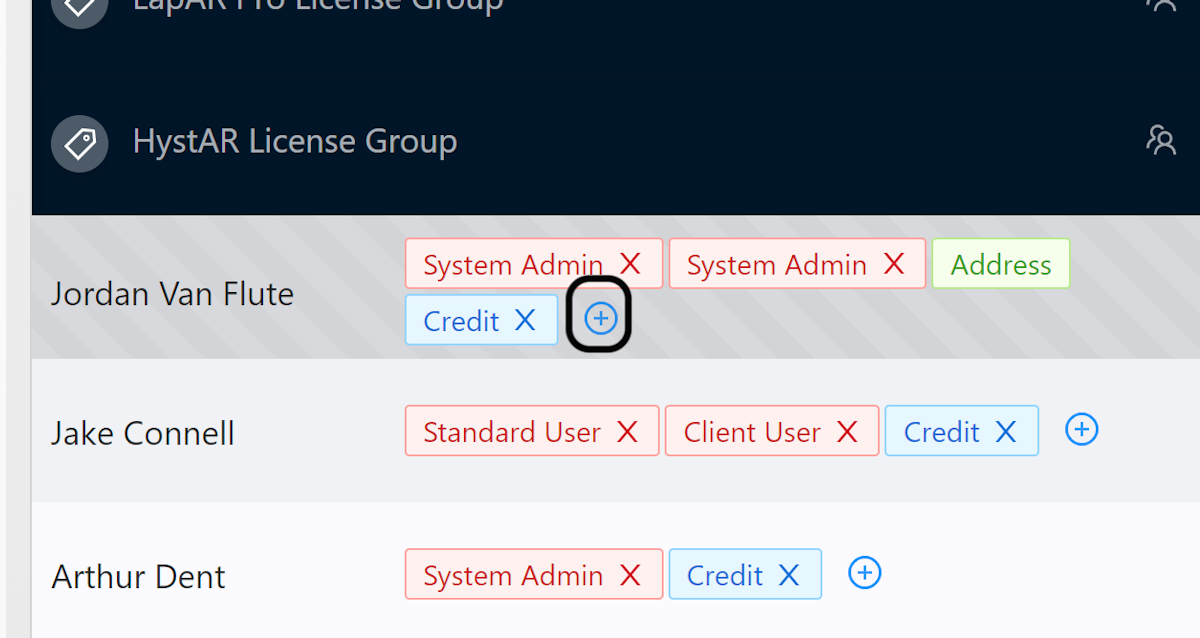
2. Click on plus-circle
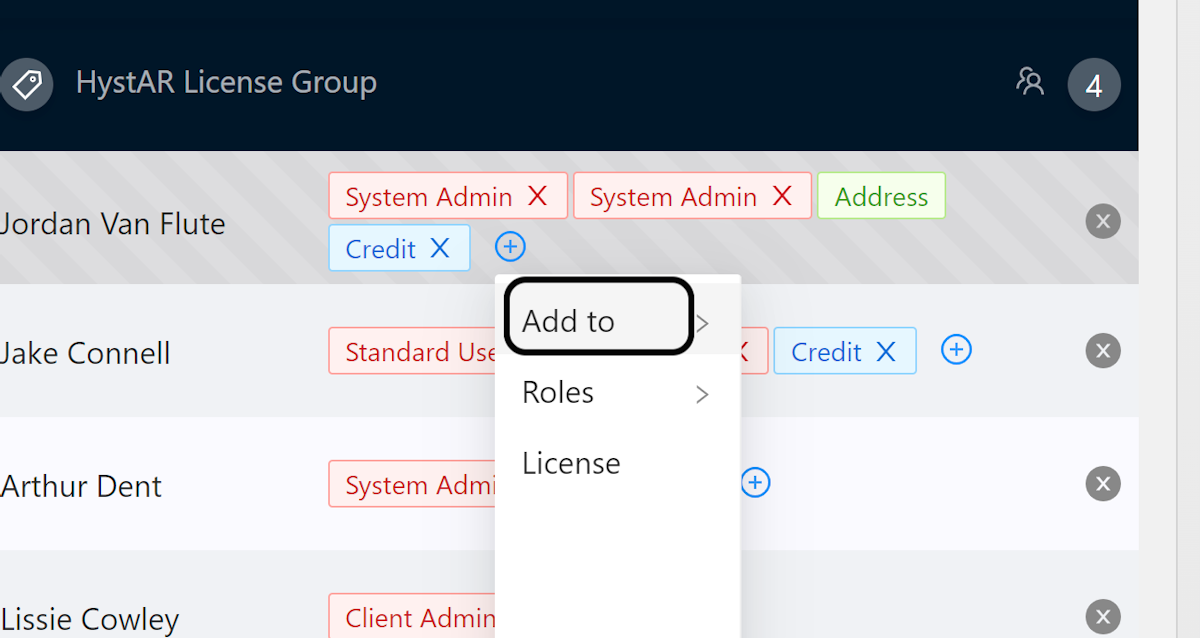
3. Click Add to
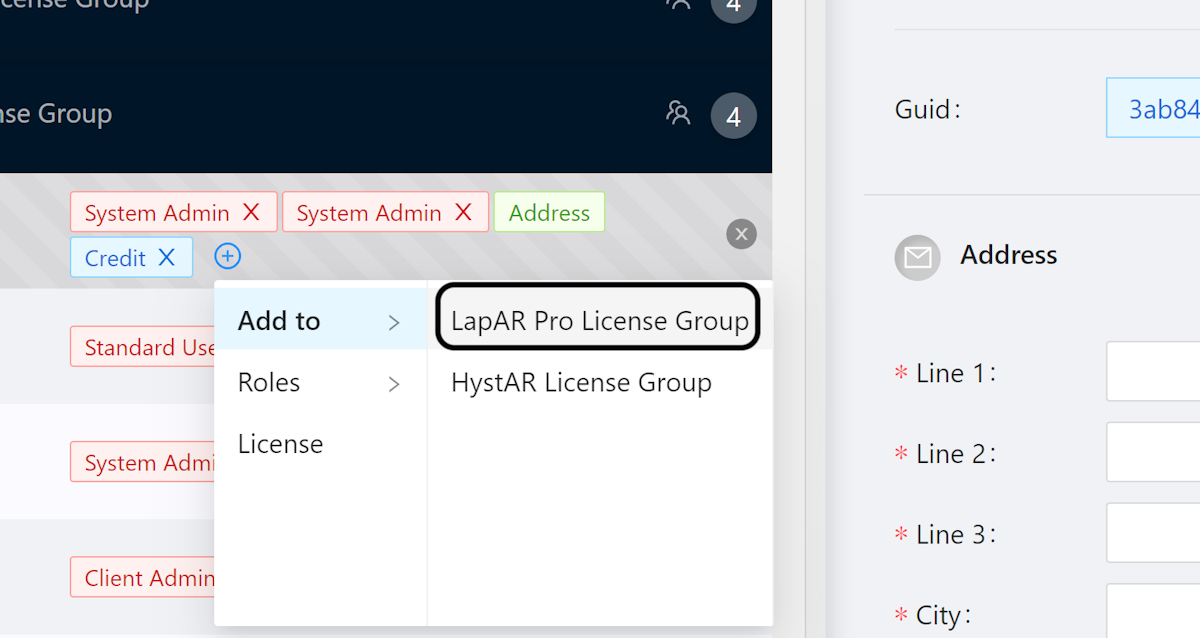
4. Select Licence Group
Select the licence group that you would like to add the user to
Community Discussions (0)
Real-world experiences from other users around this article.
Did this solve your problem?