

SupportBack to inovusmedical.com
SupportBrowse articlesCommunity DiscussionsSign in
Support

Self-service technical support, hardware setup guides and Totum user guides from the Inovus Medical team.

Back to inovusmedical.com

Support

  • Support Center
  • Browse articles

Policies

  • Warranty Information
  • Returns & Refunds
  • Delivery Information
  • Customs Information

Legal

  • Privacy Policy
  • Terms of Use
  • Cookies

© 2026 Inovus Medical Ltd. All rights reserved.

Support Center

Hardware
  • How do I clean my simulator?
  • I am using QuickTime player for Mac to run my camera and the image is inverted (flipped round), how do I fix this?
  • I've purchased a Pyxus HD or Pyxus HD Move simulator and cannot get the camera to work (Mac and Windows users)
  • I've purchased a Pyxus HD or Pyxus HD Move simulator but can't access or log on to LapSkills, what should I do?
Product Videos
Software
  • I have an issue with the Totum software
  • The camera is black or not showing in Totum, how do I fix it?
  • Requesting my data
Accounts
  • Requesting my data
Downloads
Assessments
Groups
Connections
Permissions
Administration
Policies
  • Customs Information
  • Delivery Information
  • My order has arrived damaged or with a missing item
  • Returns & Refunds
  • Warranty Information
Support CenterSoftwareAccounts
Guide

Requesting my data

Request an export of your personal data from your Totum privacy settings.

Overview
Easy•3–5 mins
#gdpr#privacy#dataUpdated 18/10/2026

Manage Privacy Settings

Navigating Privacy Settings and Requesting Data on Totum platform

Profile – Totum

1. Click on your profile avatar
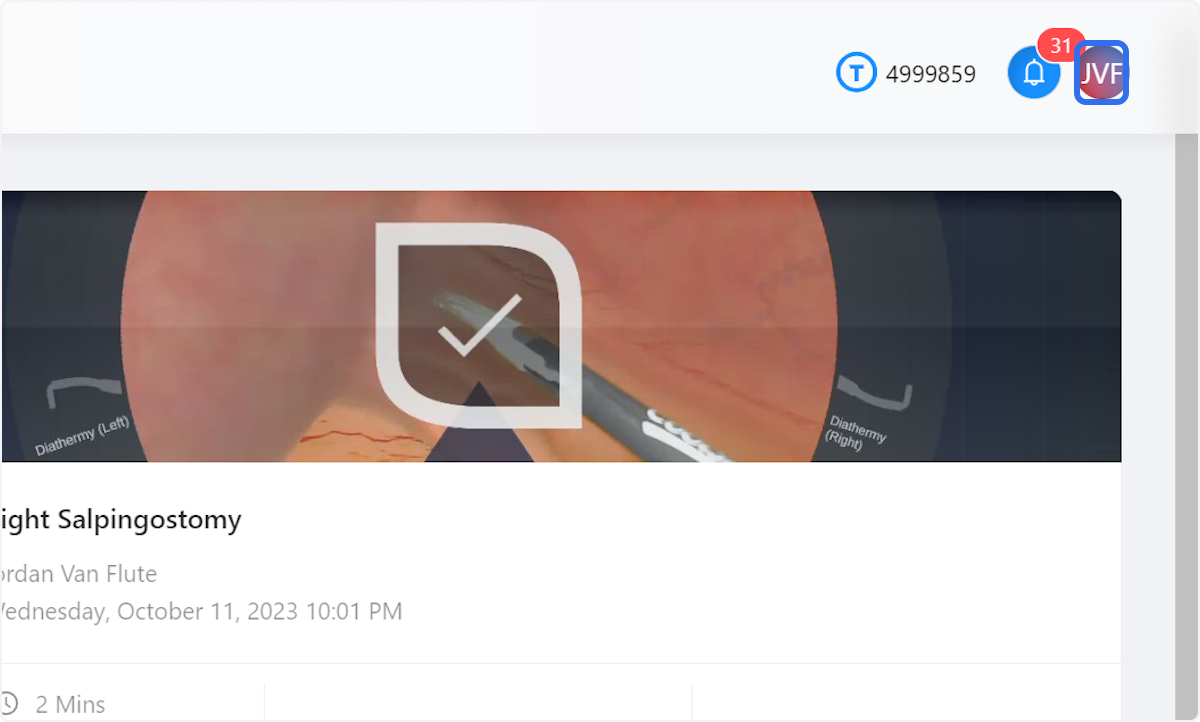
Click on your profile avatar

2. Click on Privacy
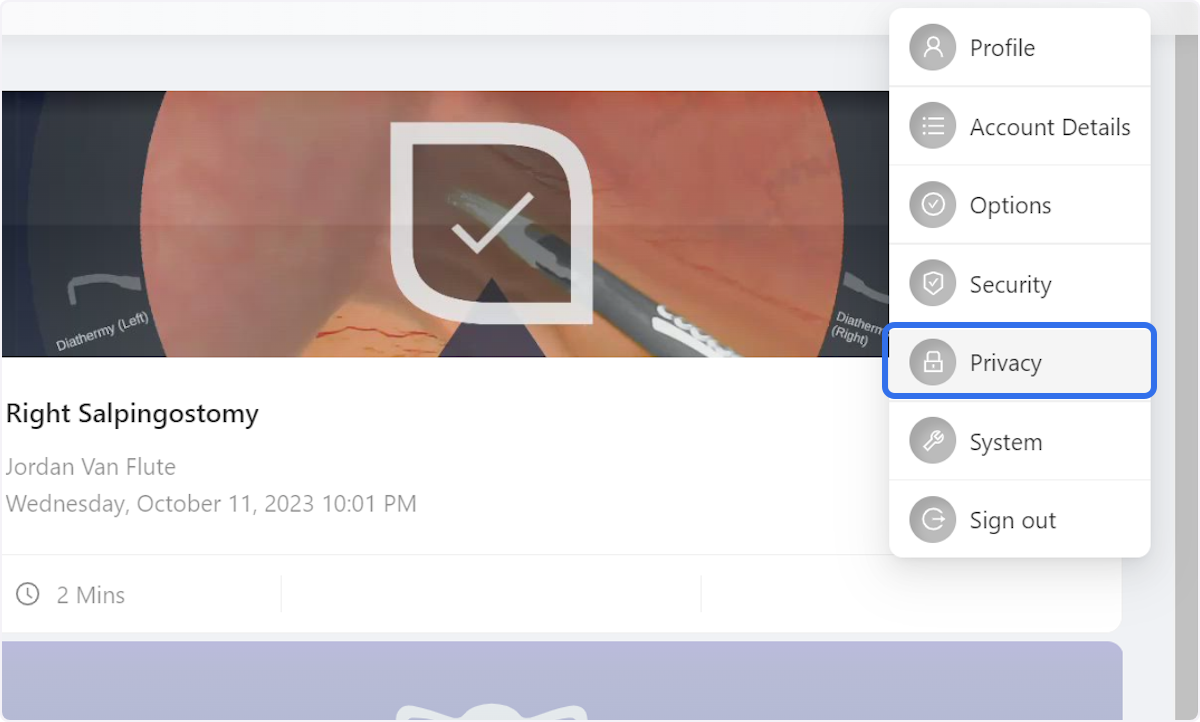
Click on Privacy

3. Click on Request data

You will receive a notification when your report has been processed.
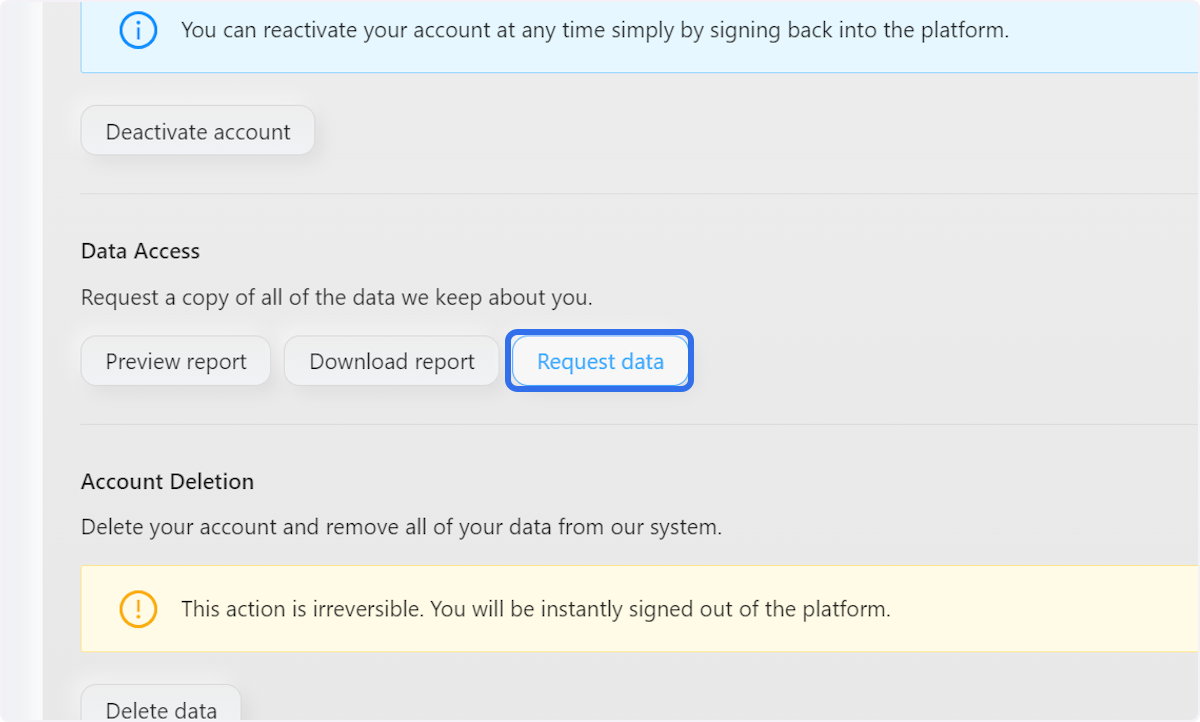
Click on Request data

Community Discussions (0)

Real-world experiences from other users around this article.

Explore Community Discussions→·Ask a Question

Did this solve your problem?

Contents

  • Manage Privacy Settings
  • Profile – Totum
  • 1. Click on your profile avatar
  • 2. Click on Privacy
  • 3. Click on Request data