

Guide
Creating a new account
Register a new Totum account, from opening your invite link to setting your profile details and password.
Overview
Easy•5–10 mins
#account#registration#sign upUpdated 17/10/2026
Totum Registration
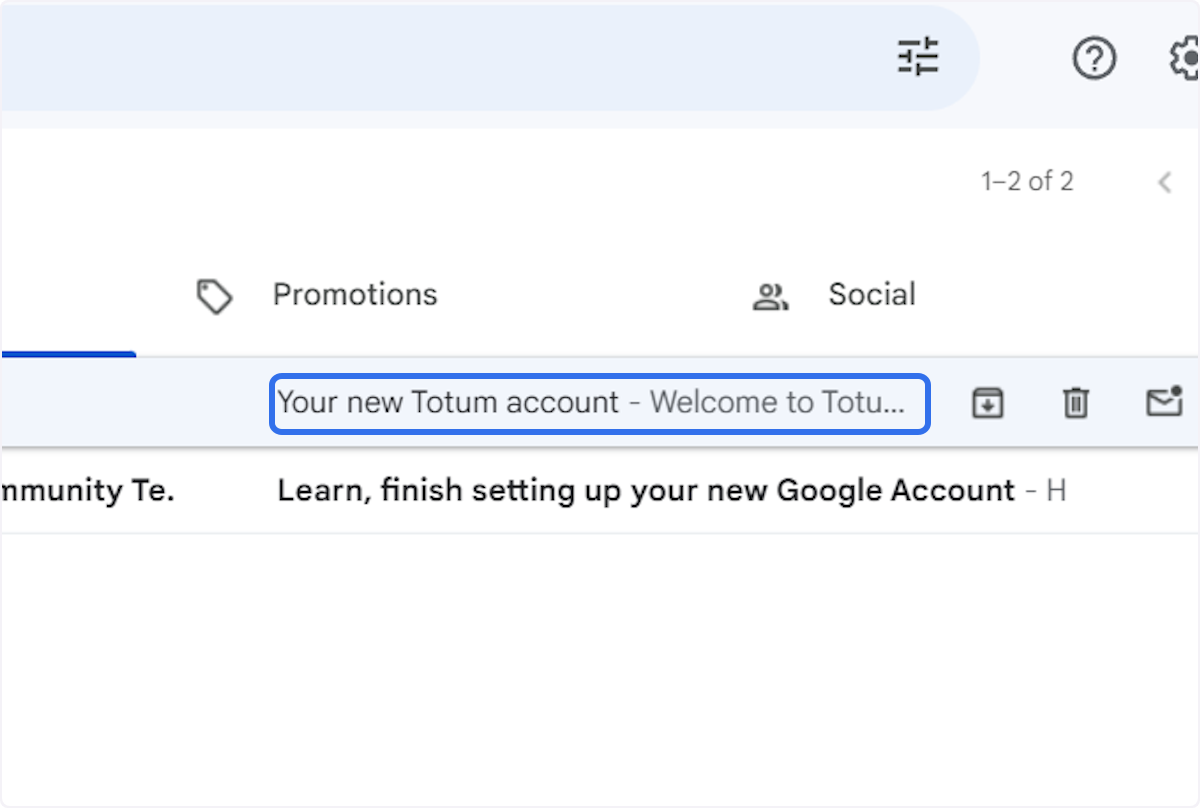
1. Click Totum Account
Click on Your new Totum account…
2. Click on Complete Registration
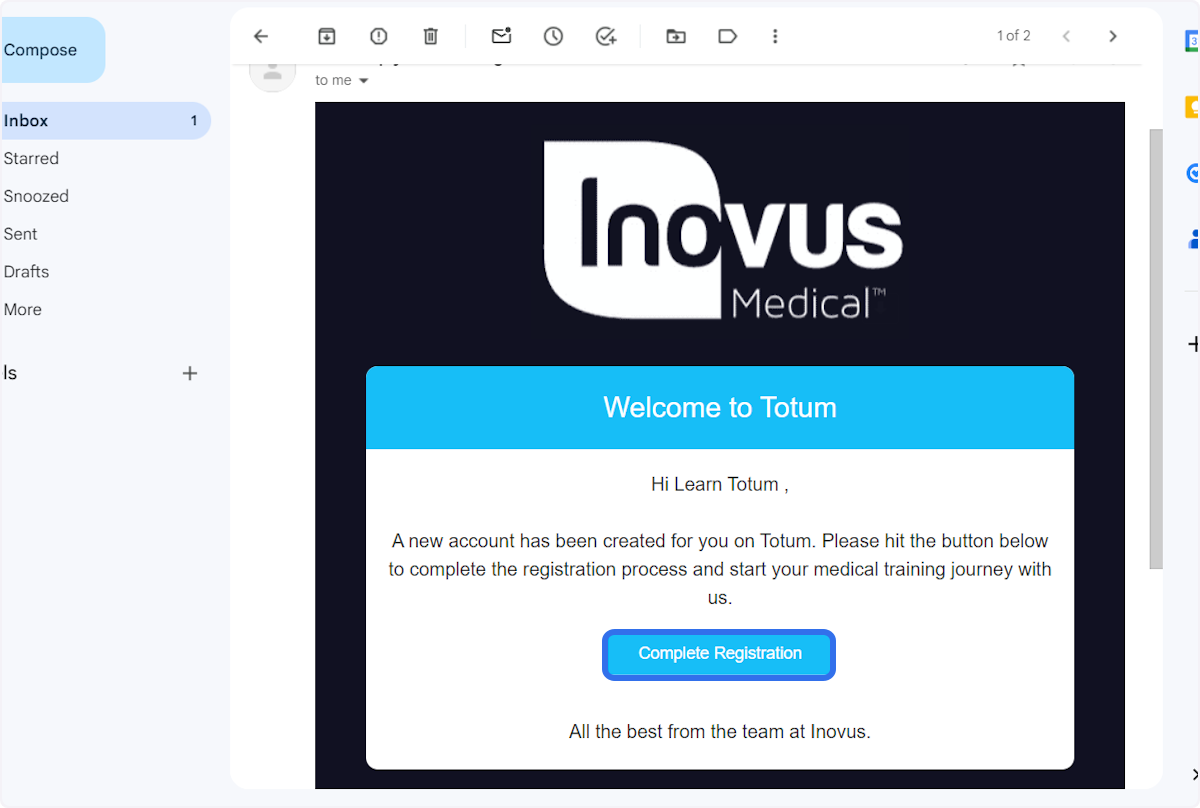
Welcome – Totum
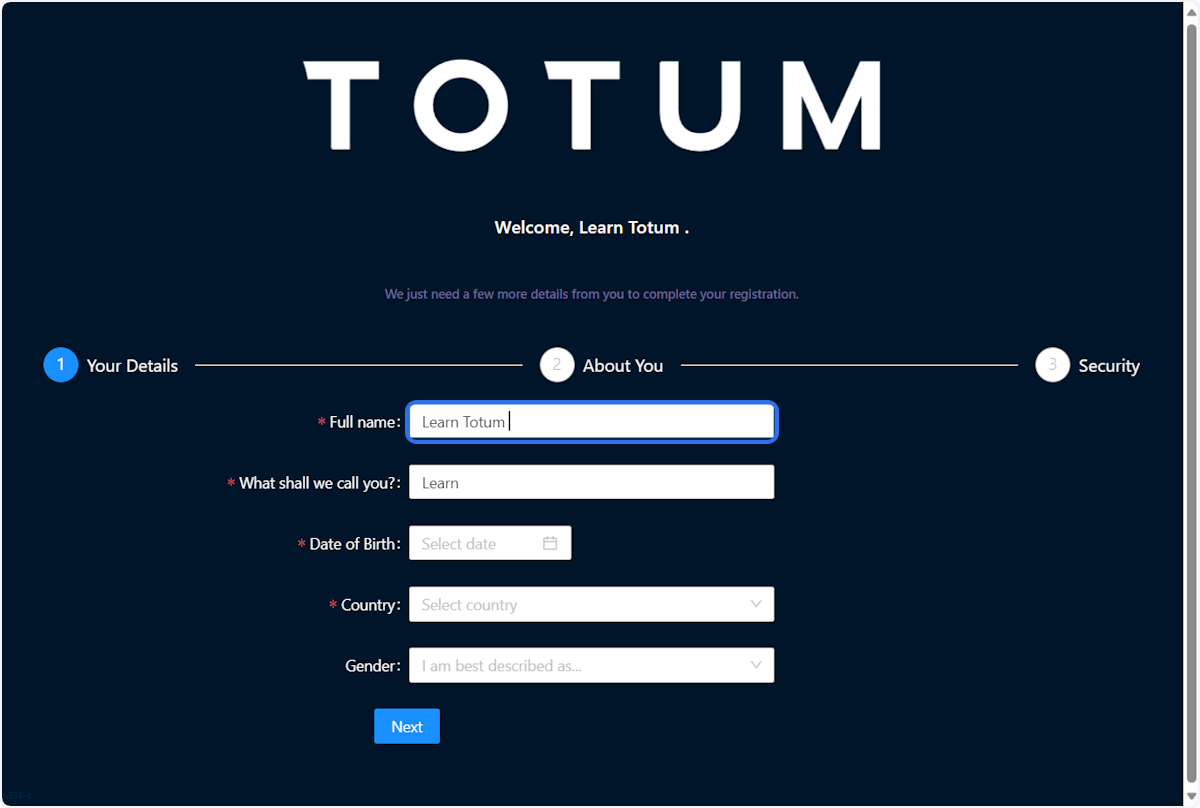
3. Add your name
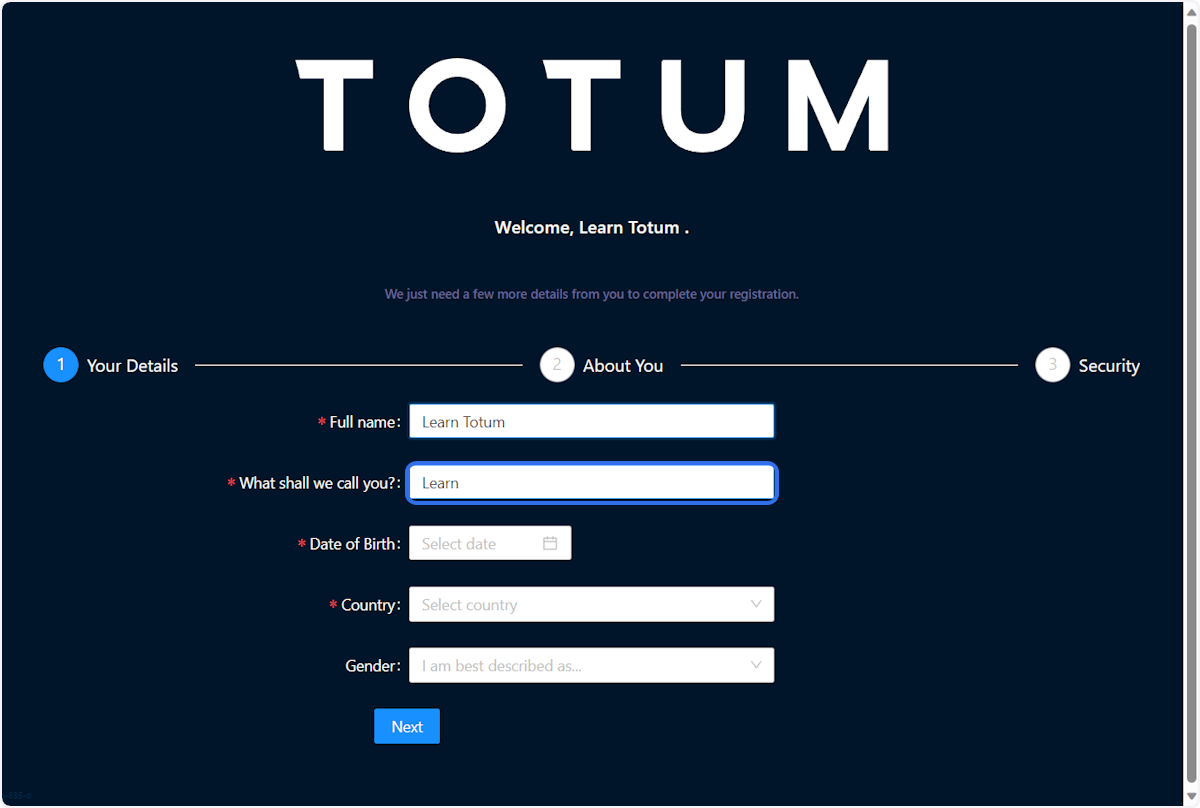
4. Add your name preference
5. Enter your date of birth
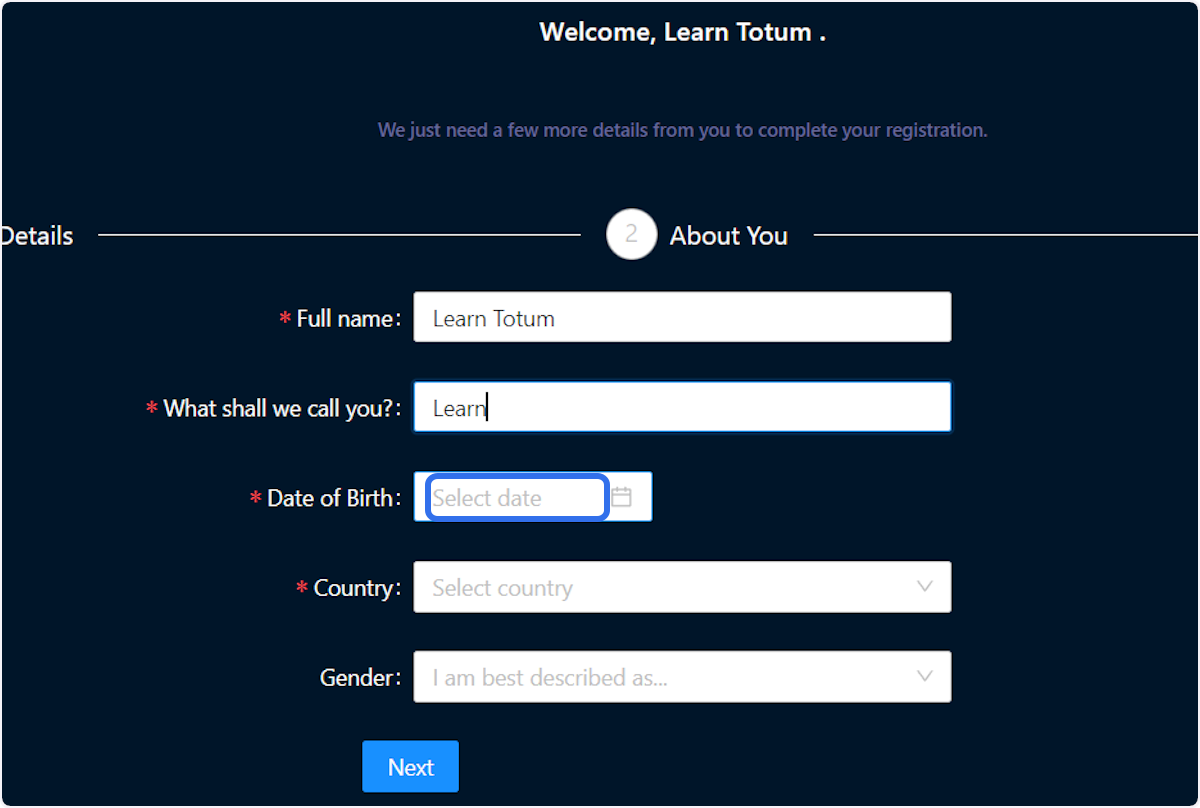
6. Enter your location
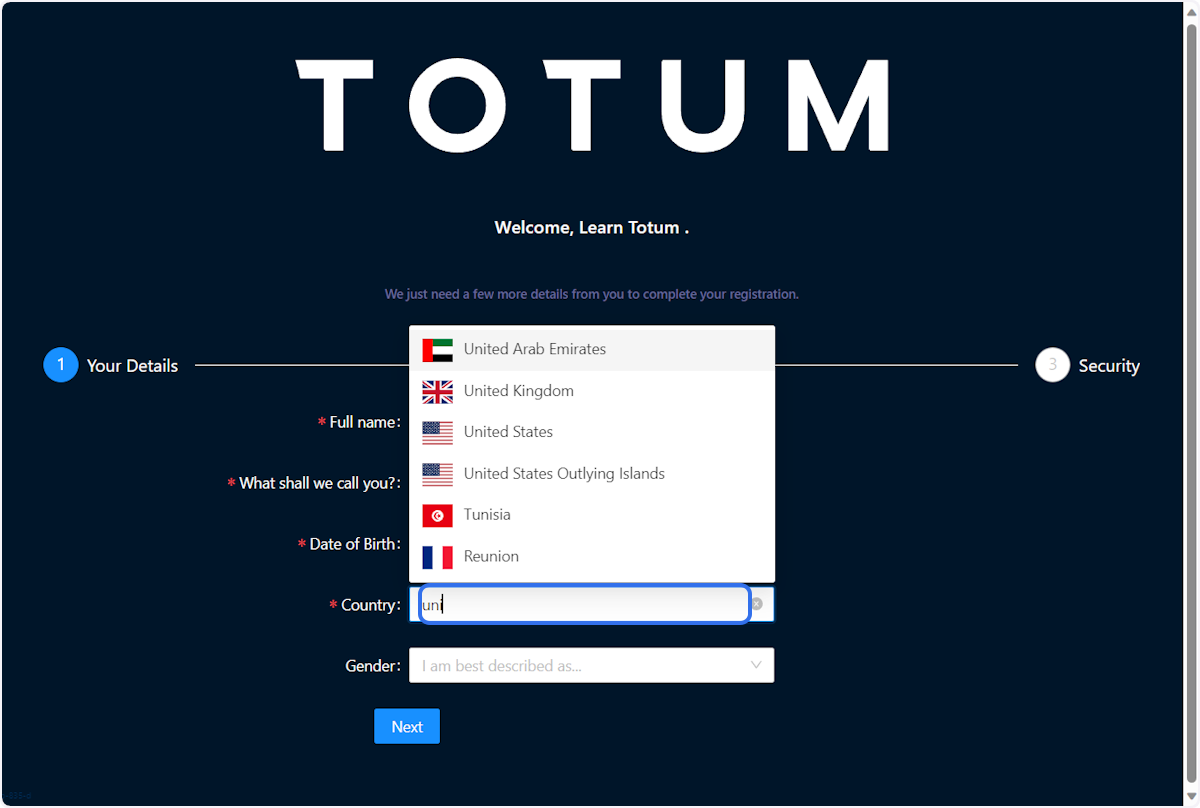
7. Select Gender
Select a gender that best describes you
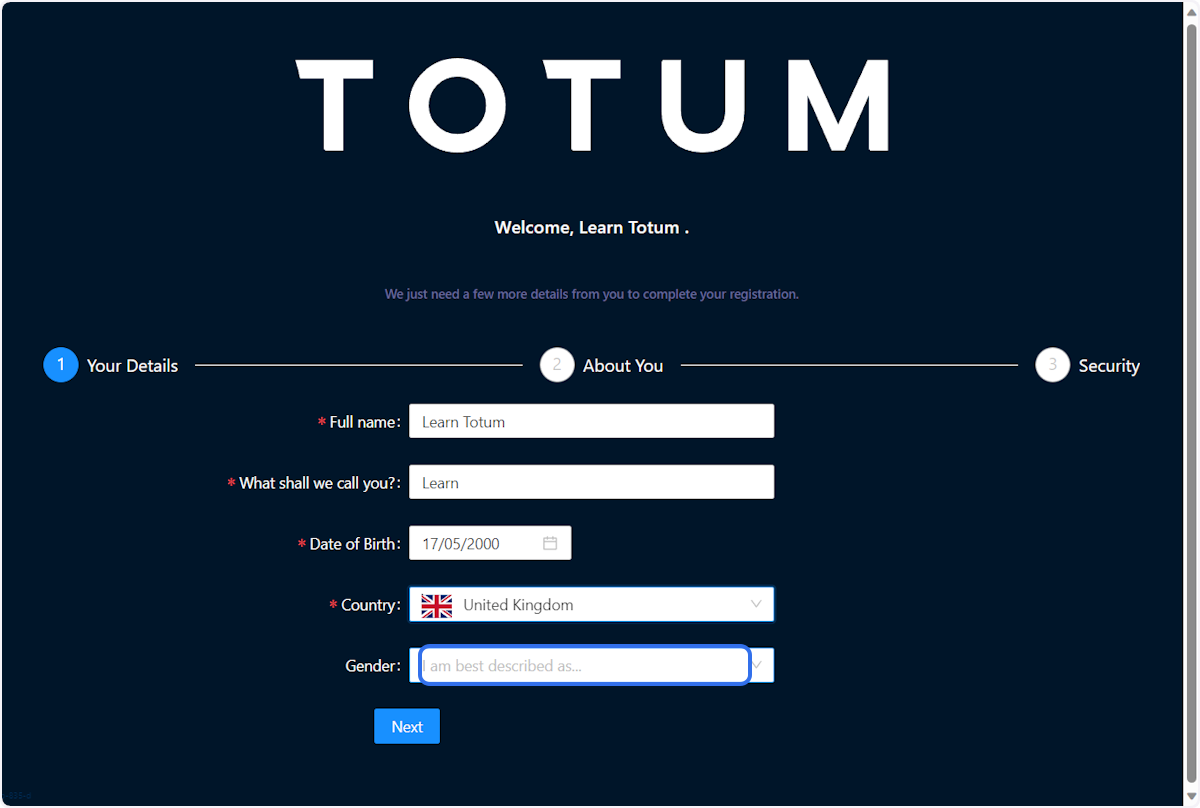
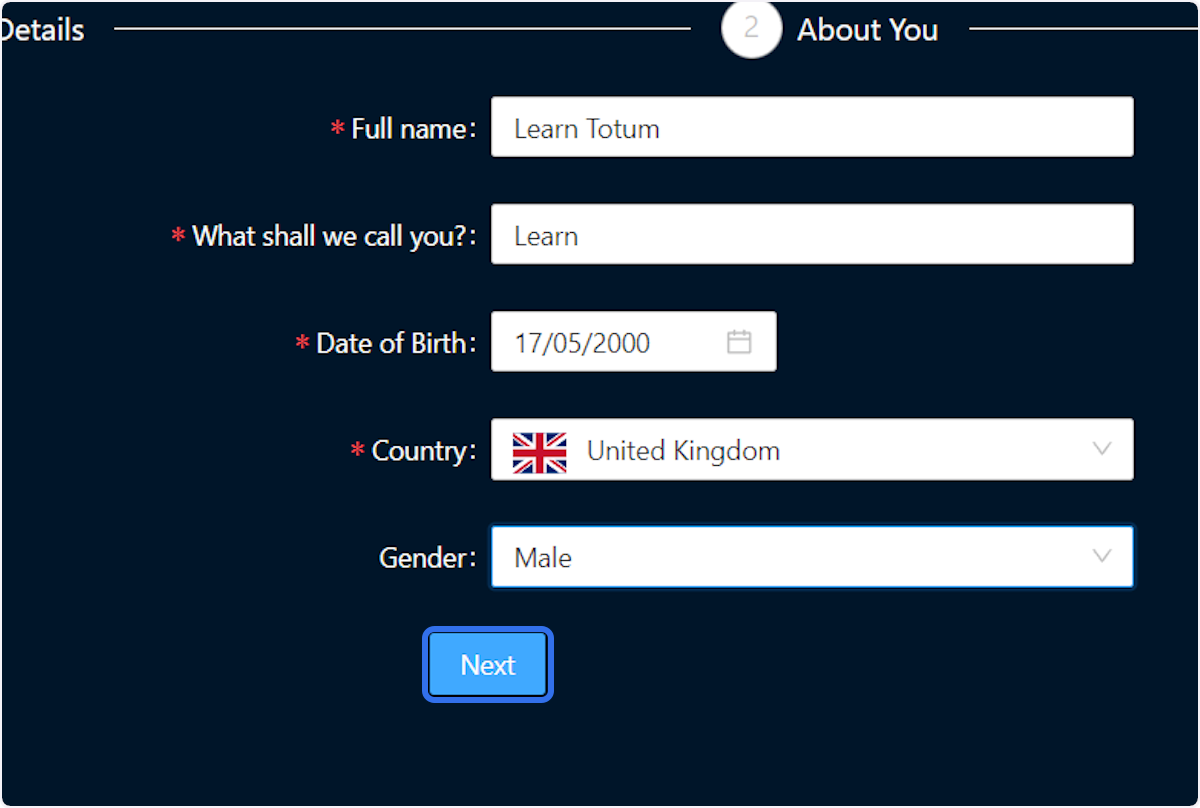
8. Click next
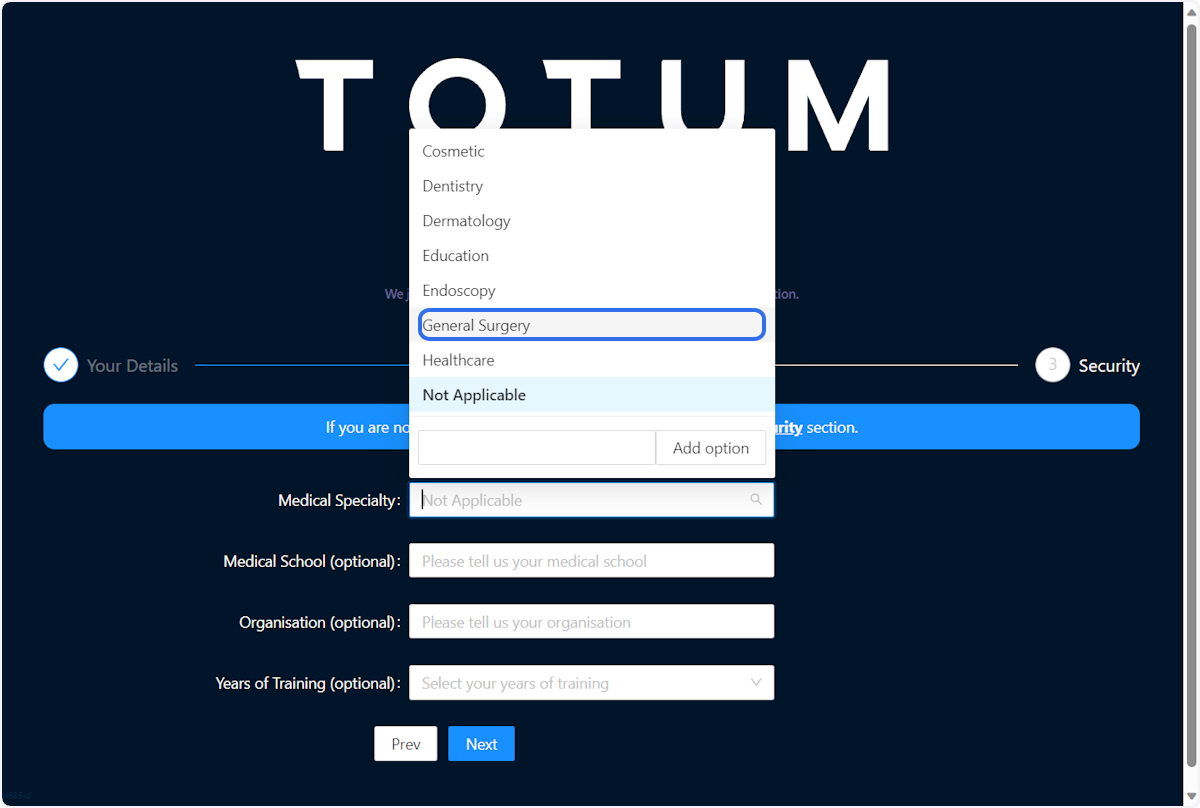
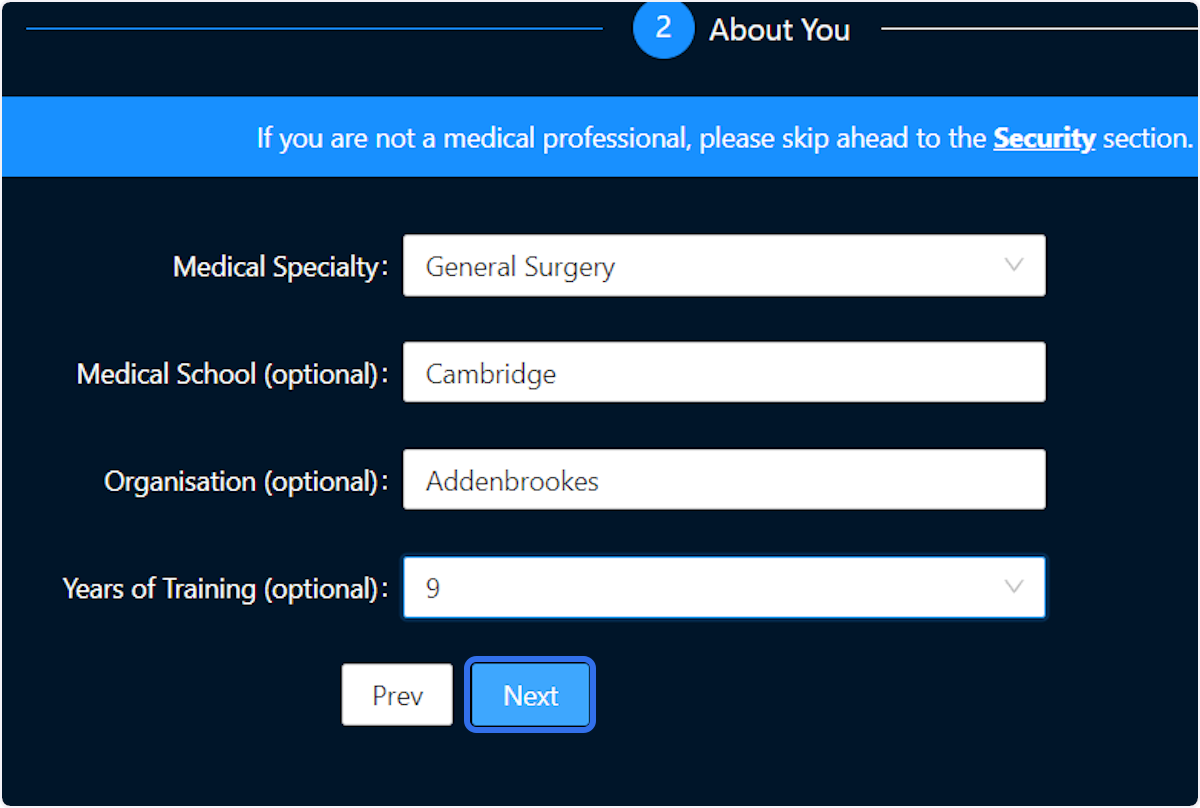
9. Select Medical Specialty
If applicable, select you Medical Specialty
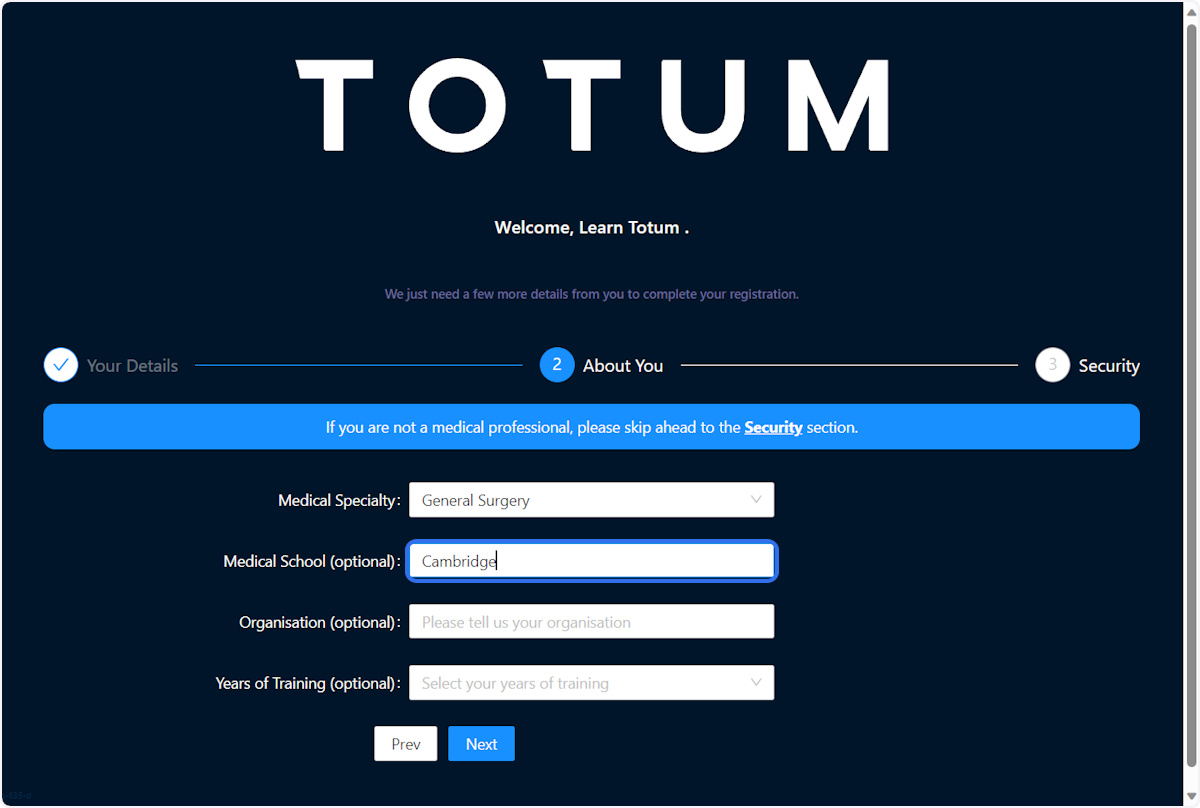
10. Add Medical School
If applicable, add your medical school
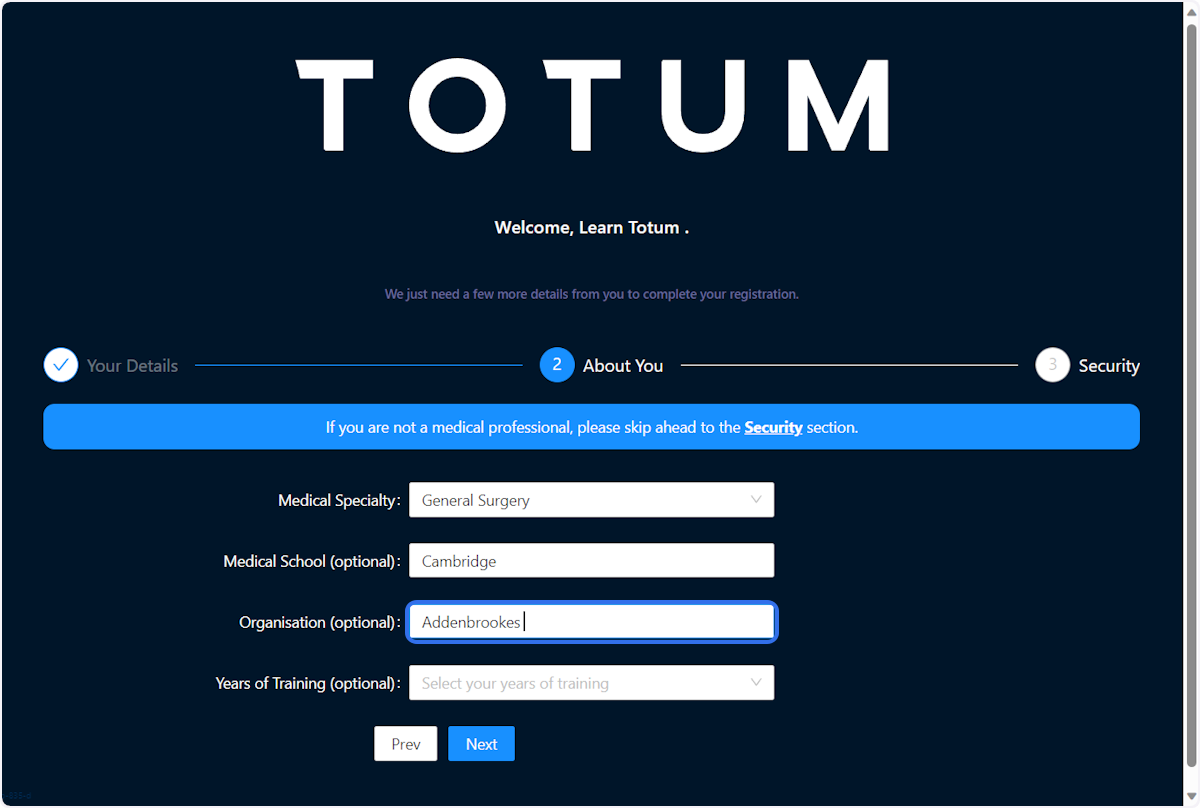
11. Enter Work Location
If applicable, enter your current work location
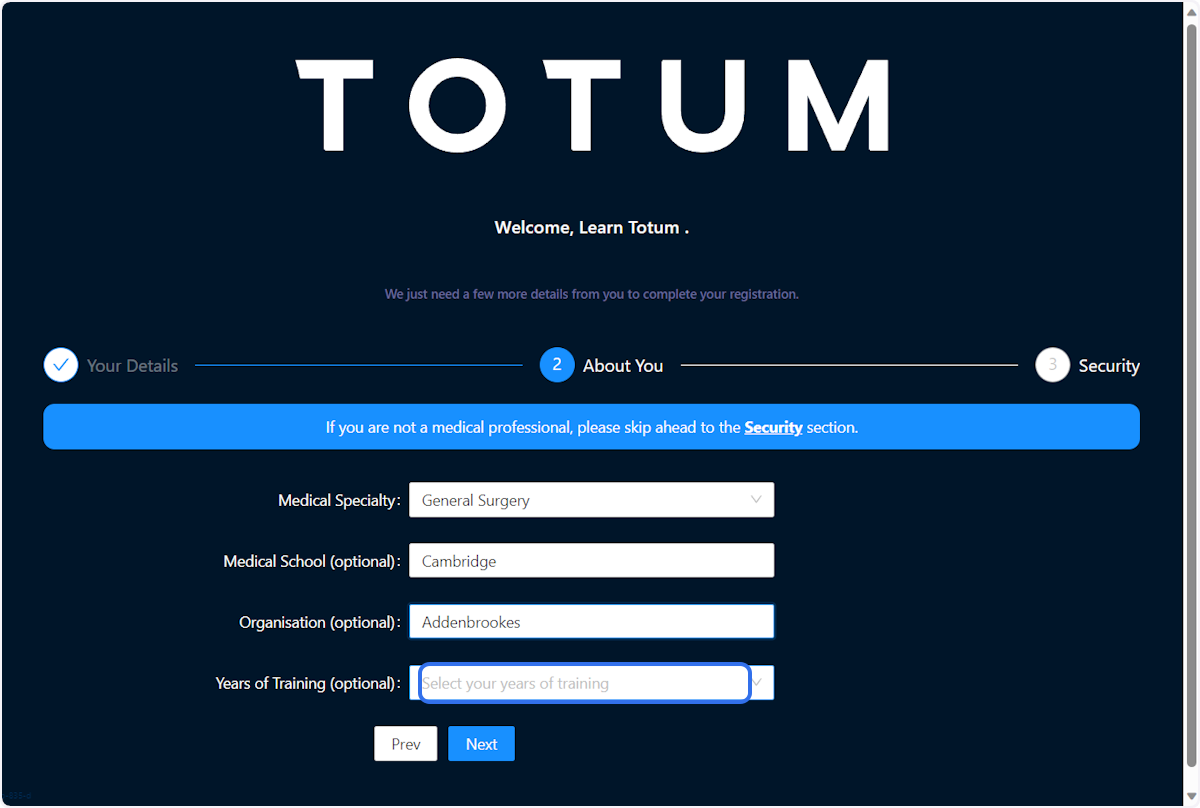
12. Enter Years in Training
If applicable, enter your years in training
13. Click on Next
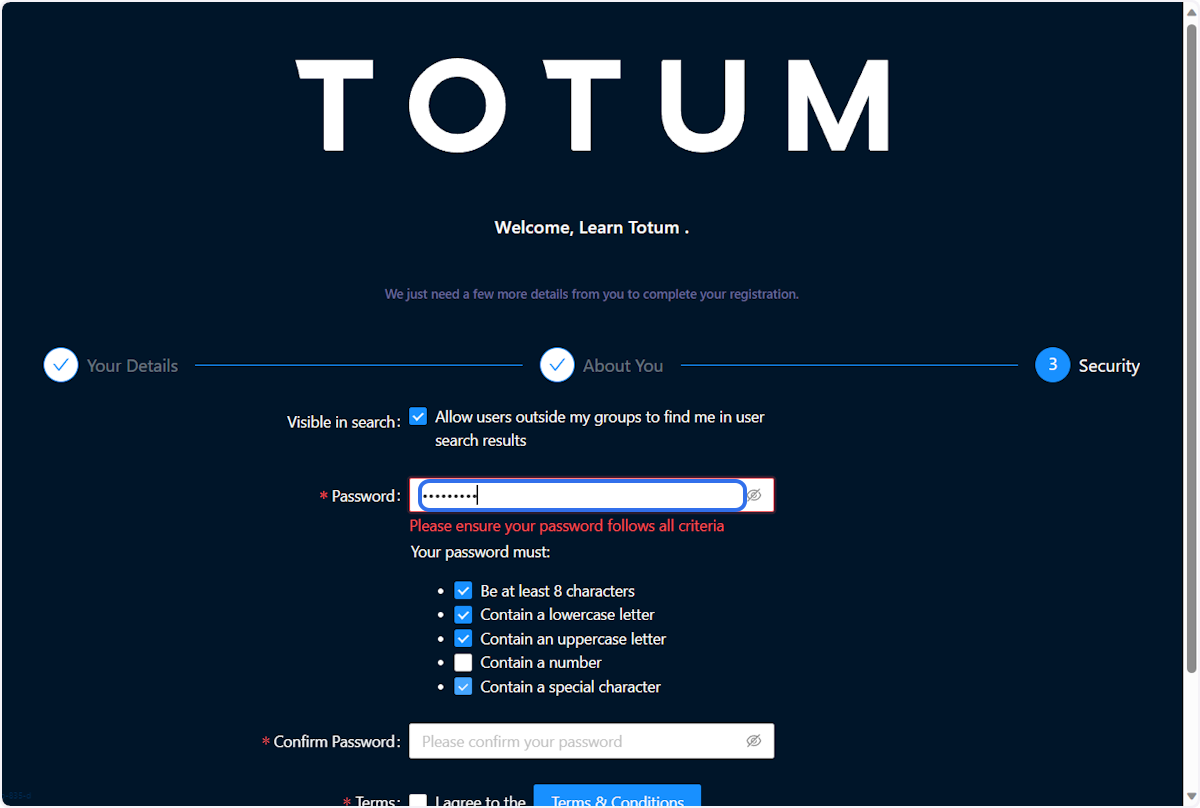
14. Create a strong password
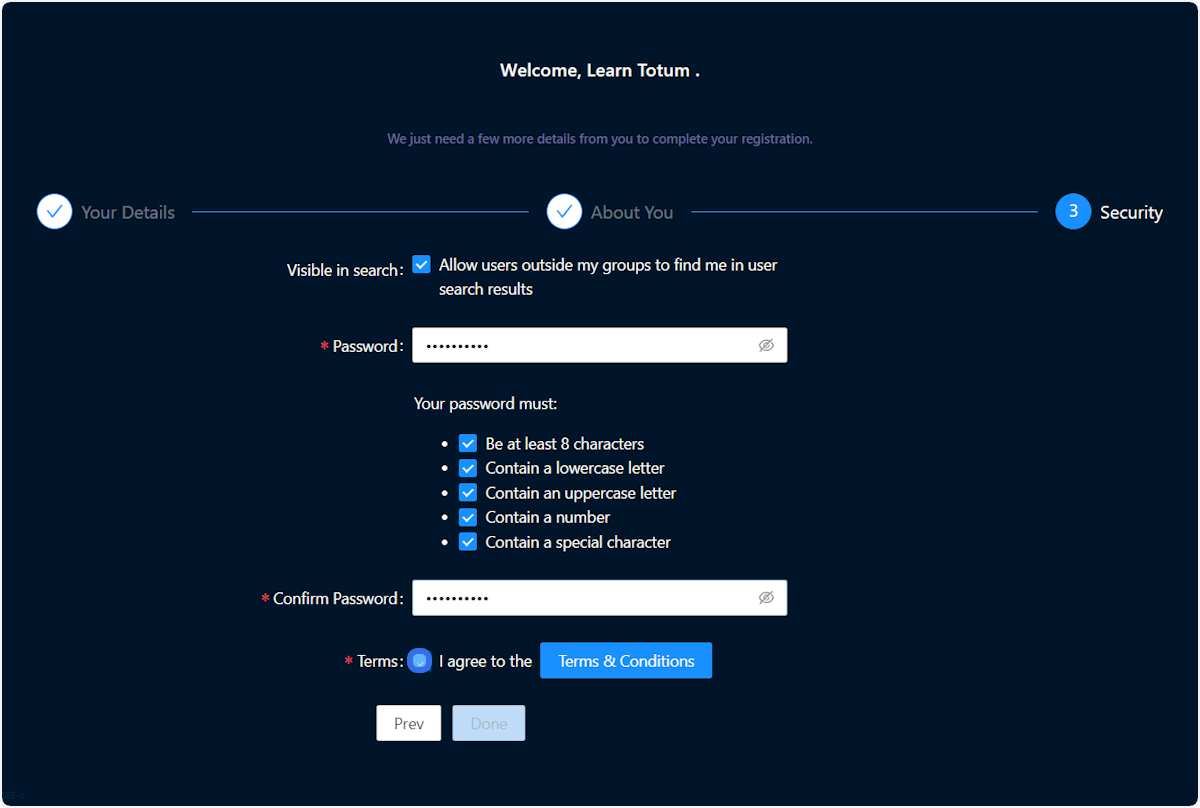
15. Check Terms
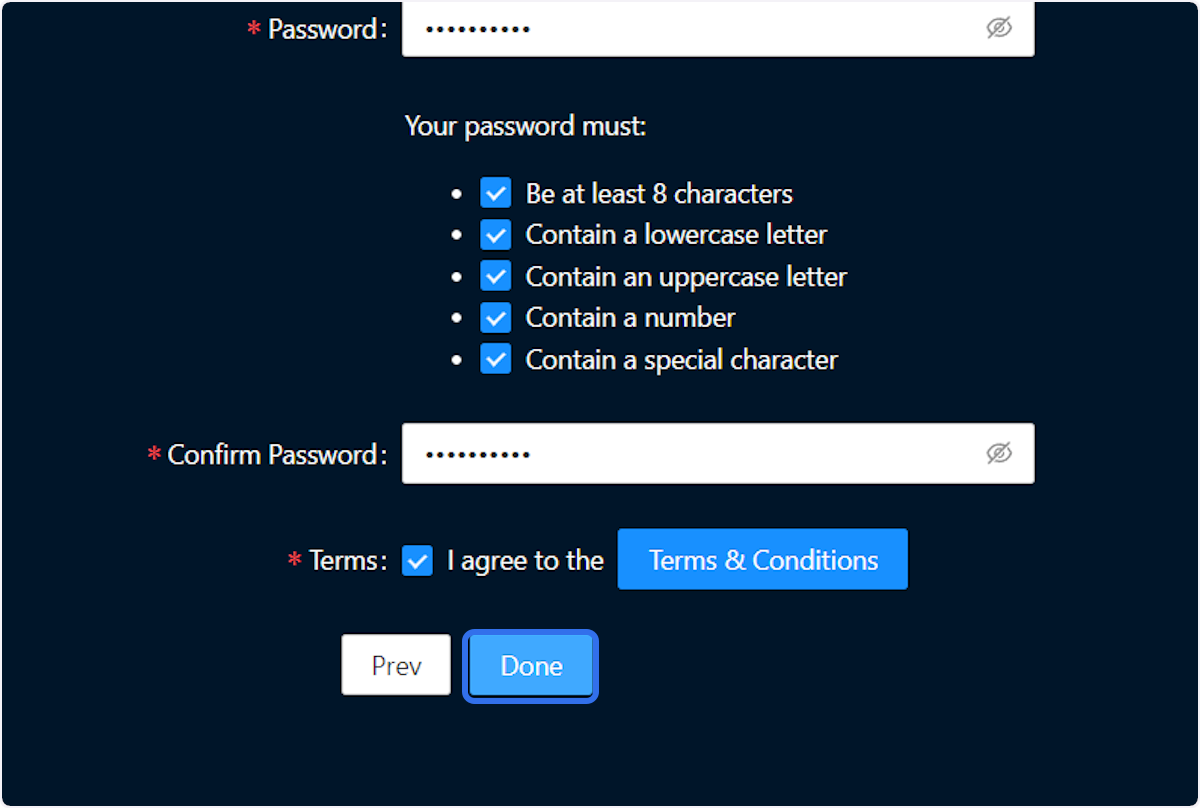
16. Click on Done
Community Discussions (0)
Real-world experiences from other users around this article.
Did this solve your problem?