
SupportBack to inovusmedical.com
SupportBrowse articlesCommunity DiscussionsSign in
Support

Self-service technical support, hardware setup guides and Totum user guides from the Inovus Medical team.

Back to inovusmedical.com

Support

  • Support Center
  • Browse articles

Policies

  • Warranty Information
  • Returns & Refunds
  • Delivery Information
  • Customs Information

Legal

  • Privacy Policy
  • Terms of Use
  • Cookies

© 2026 Inovus Medical Ltd. All rights reserved.

Support Center

Hardware
  • How do I clean my simulator?
  • I am using QuickTime player for Mac to run my camera and the image is inverted (flipped round), how do I fix this?
  • I've purchased a Pyxus HD or Pyxus HD Move simulator and cannot get the camera to work (Mac and Windows users)
  • I've purchased a Pyxus HD or Pyxus HD Move simulator but can't access or log on to LapSkills, what should I do?
  • Basic Surgical Skills Base Setup Manual
Product Videos
Software
  • I have an issue with the Totum software
  • The camera is black or not showing in Totum, how do I fix it?
Accounts
Downloads
Assessments
Groups
Connections
Permissions
Administration
Policies
  • Customs Information
  • Delivery Information
  • My order has arrived damaged or with a missing item
  • Returns & Refunds
  • Warranty Information
Support CenterHardware
Setup guide

Basic Surgical Skills Base Setup Manual

Assemble the Basic Surgical Skills Base and attach the suction feet.

Overview
Easy•5–10 mins
BSS#bss#assembly#hardwareUpdated 19/10/2026

Welcome to the step-by-step assembly guide for the Basic Surgical Skills Base. Whether you prefer step-by-step instructions or a video demonstration, this guide will walk you through the assembly process.

Before you begin, take a moment to review the package's contents and acquaint yourself with the included components. The following content has been crafted to provide you with all the insights required to transform individual parts into a functional and invaluable tool for honing your surgical skills.

Step 1

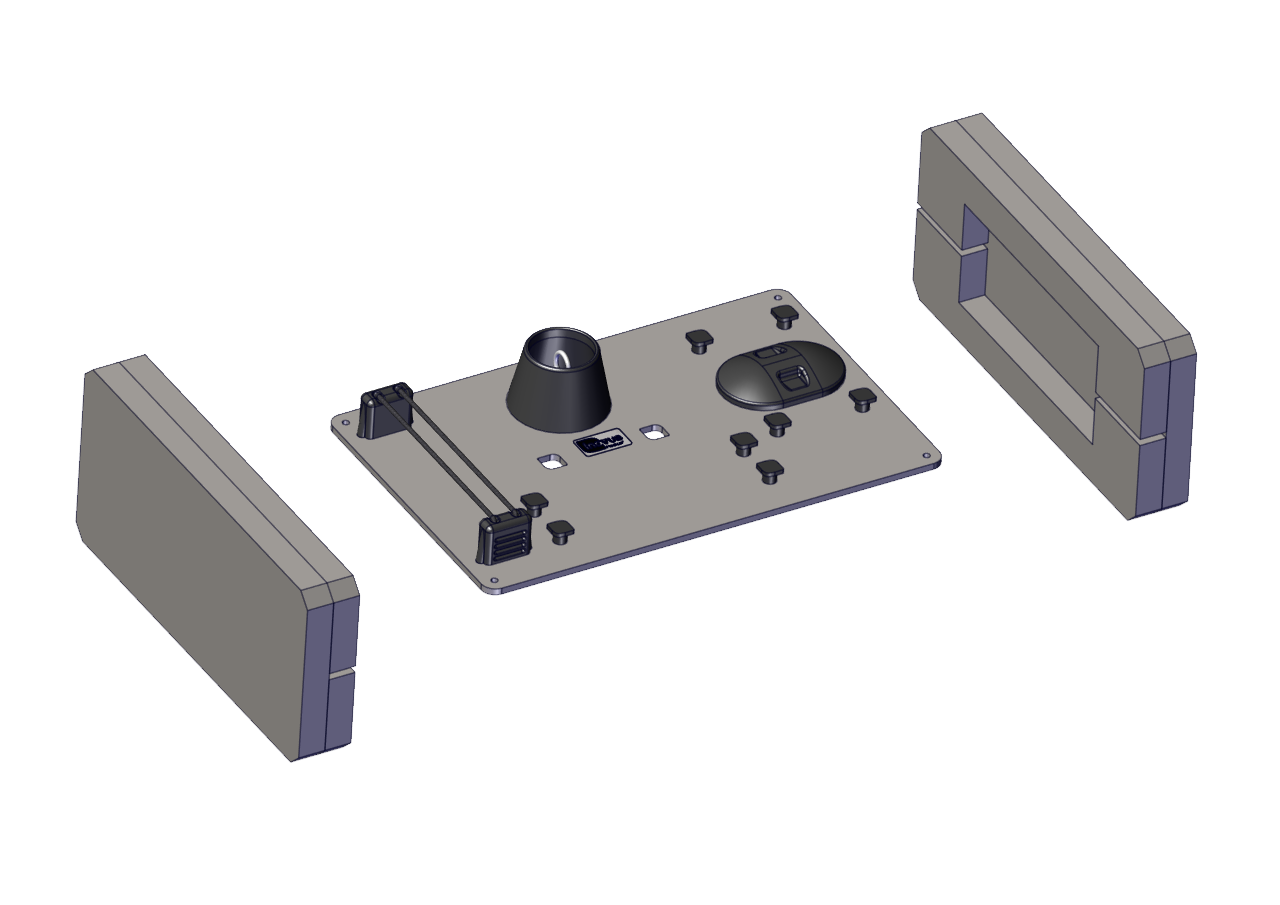
Begin the assembly of the BSS Base by removing all parts from the box, and discarding the packaging.
Step 1

Step 2

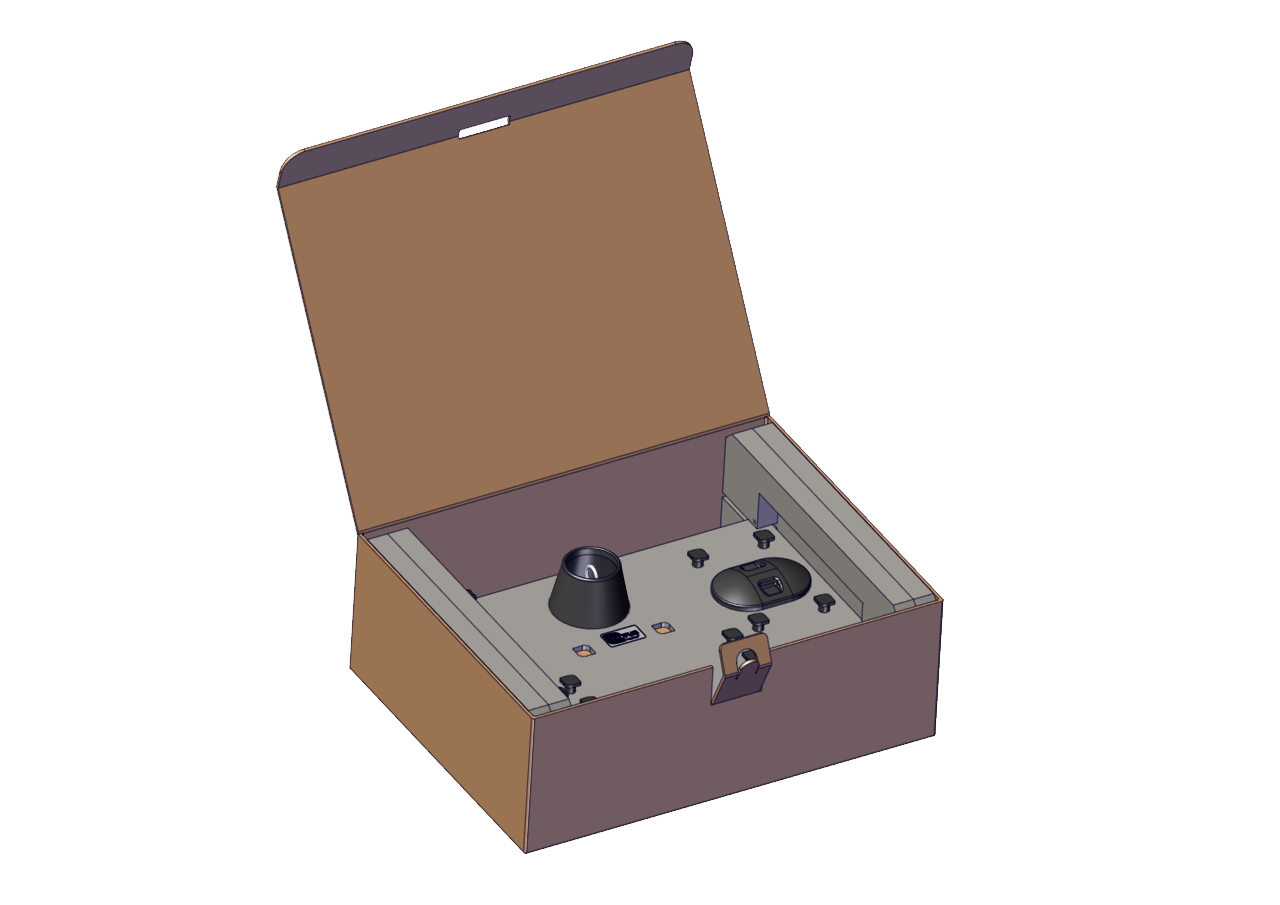
[TBD]

Step 2

Step 3

Begin the assembly of the BSS Base by removing all parts from the box, and discarding the packaging.
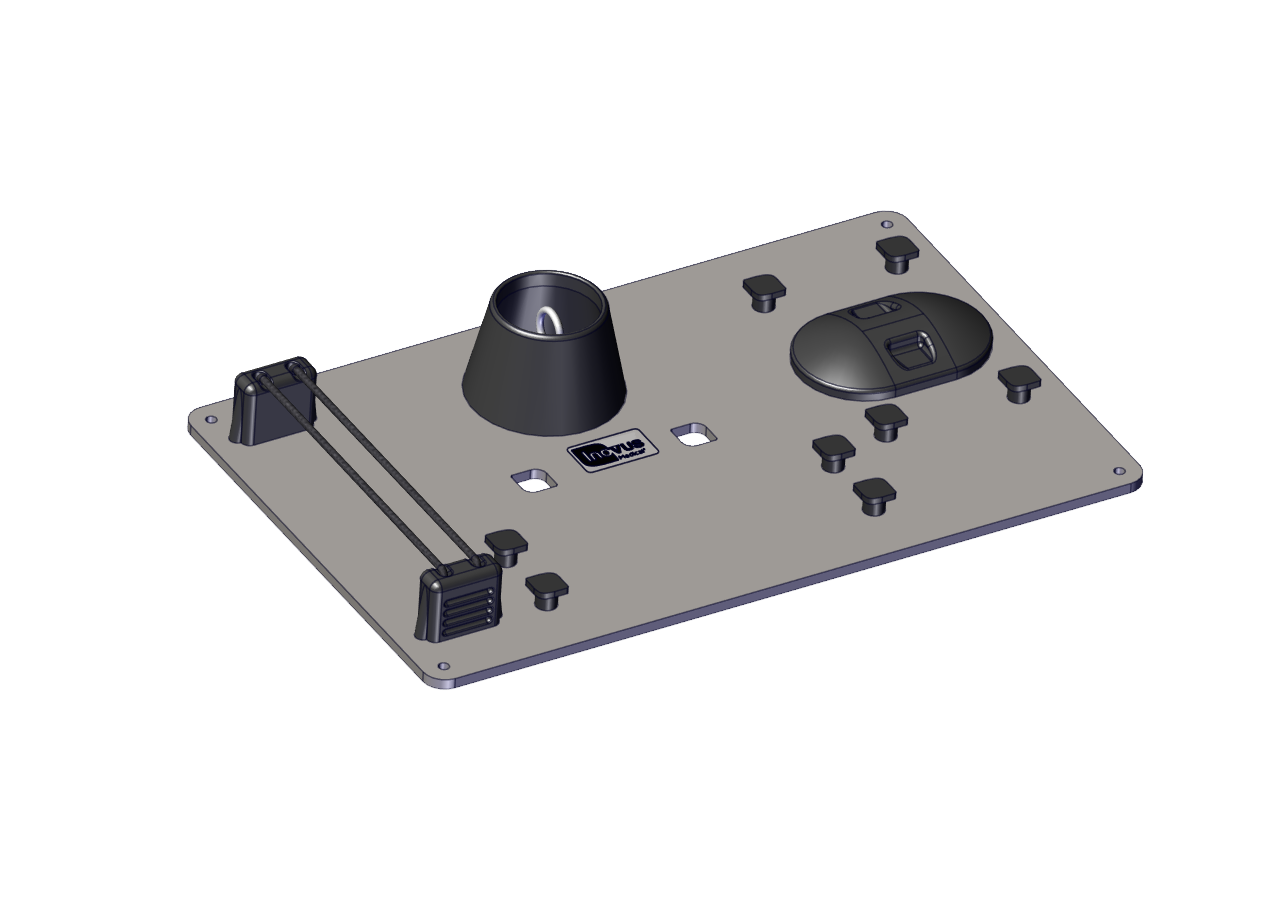
Step 3

Step 4

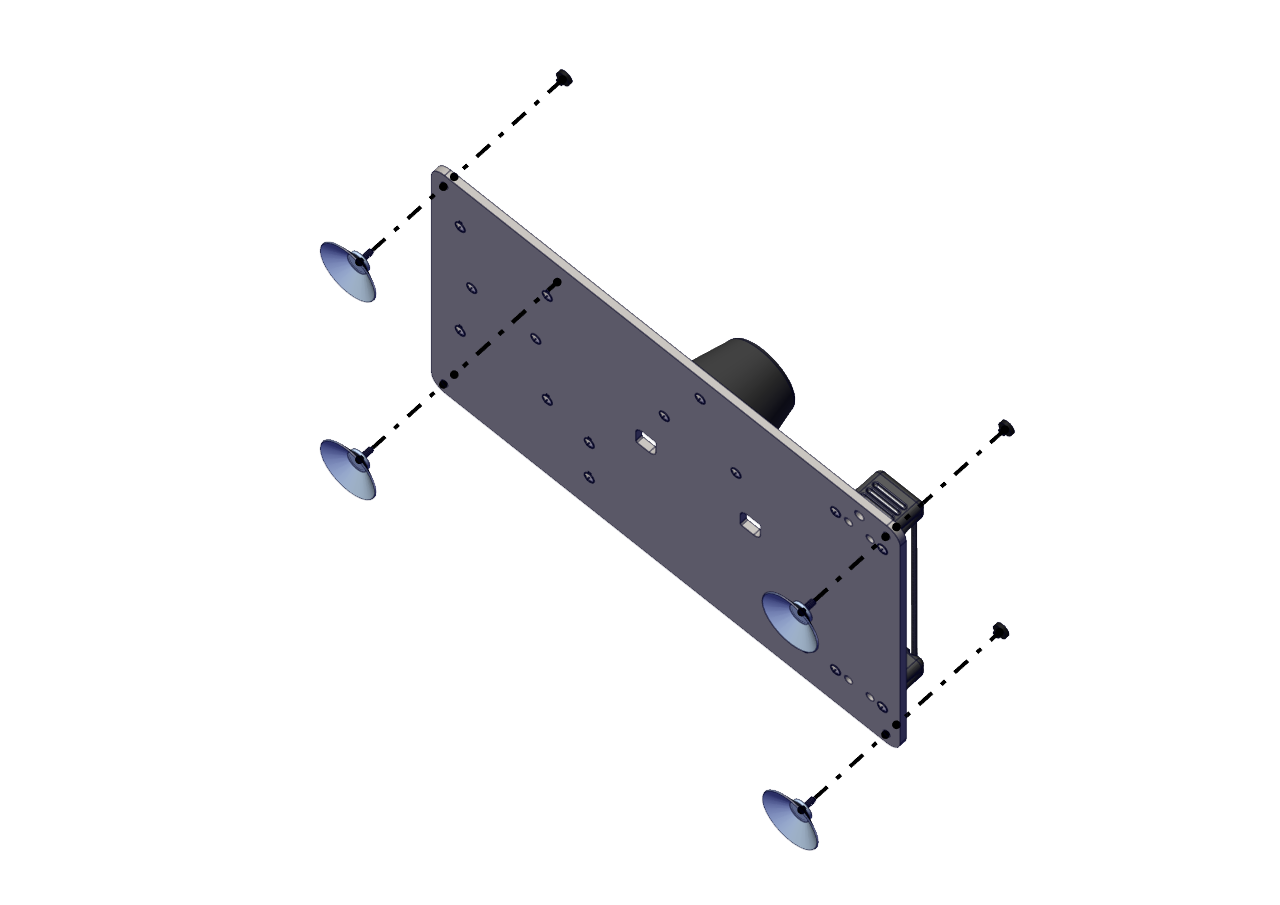
Take 1x suction cup and 1x screw. Place the suction cup under the base in one of the four corners and line up with the hole. Fix in place with the screw.
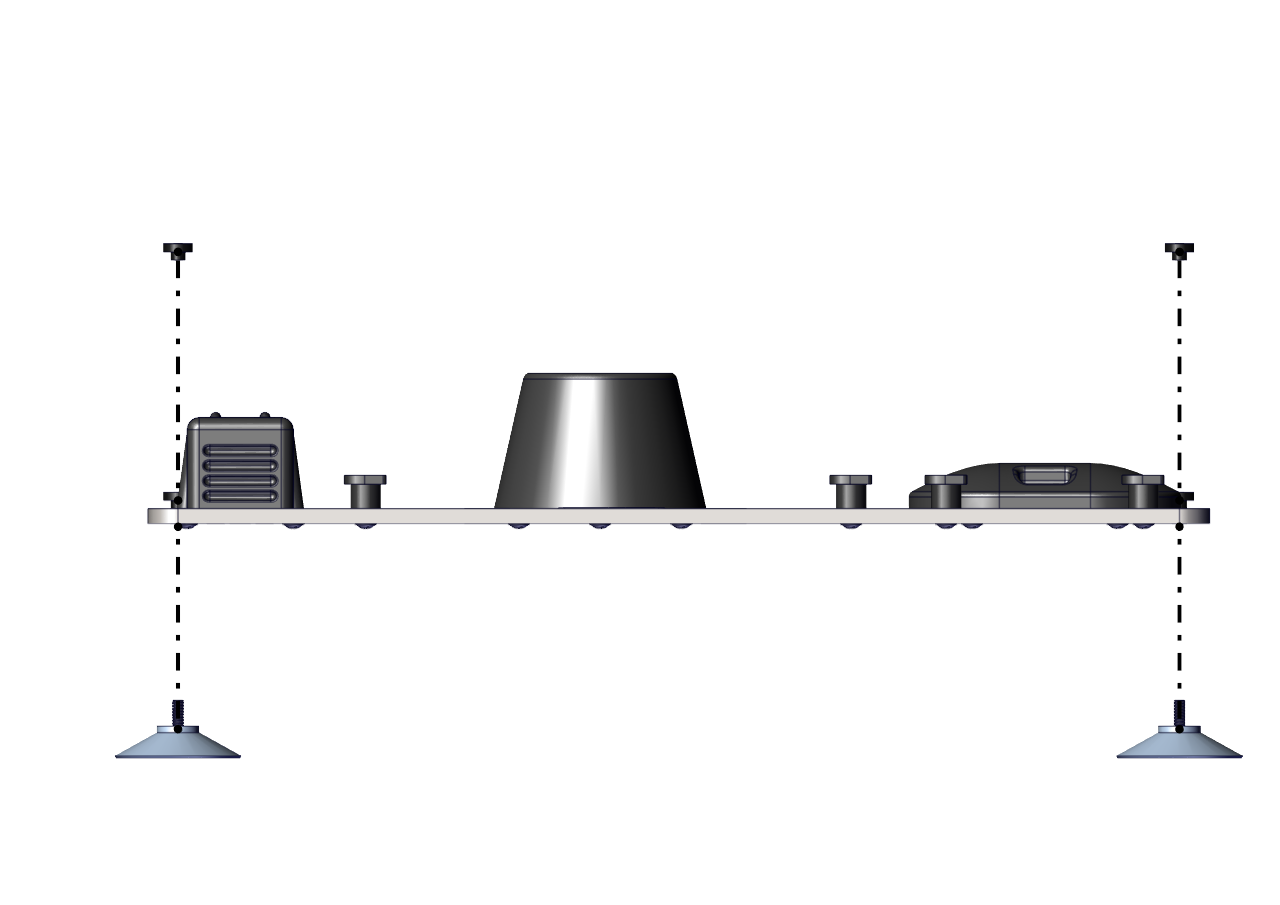
Step 4

Step 5

Repeat this step for all four corners, do not overtighten the screws.
Step 5

Related articles

Video

Basic Surgical Skills

A dedicated platform for delivering basic surgical skills courses, with realistic incision and suturing pads.

2 min EasyBSS

Community Discussions (0)

Real-world experiences from other users around this article.

Explore Community Discussions→·Ask a Question

Did this solve your problem?

Contents

  • Step 1
  • Step 2
  • Step 3
  • Step 4
  • Step 5